How to Configure An Automatic Payment Voucher With Each E-filed Balance Due Tax Return
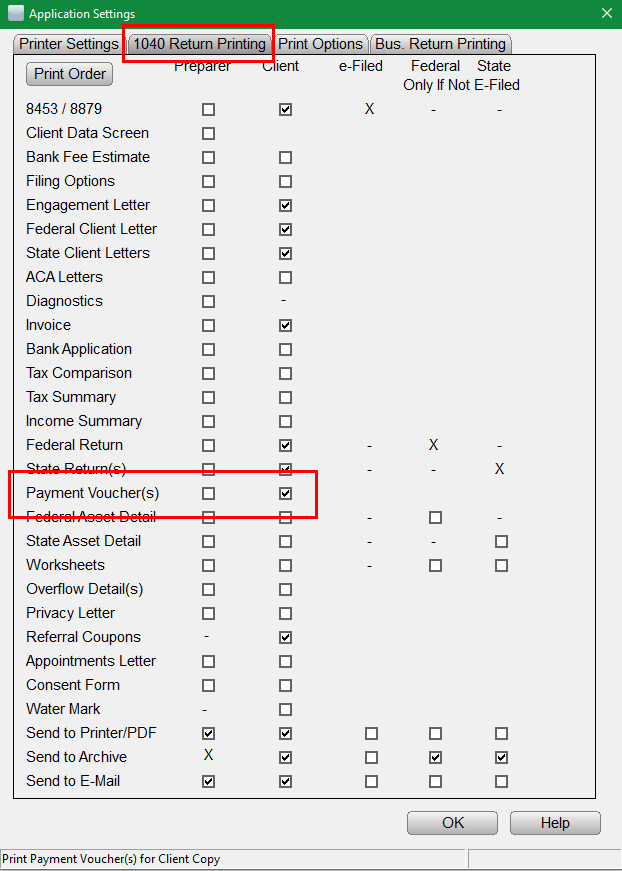
The following provided steps illustrate how to configure the program to automatically print a payment voucher with each e-filed return:
- From the Work in Progress Summary screen, click the Setup menu.
- Navigate to the 1040 Return Printing tab & verify there is a checkmark for Payment Voucher(s) in the desired print packet.
- Navigate to the Print Options tab & verify there is NO checkmark for No payment voucher with 8879.
- Click OK to finalize the settings.