How to Activate Textlink
Follow the instructions below to successfully activate TextLink:
1. Open the software.
2. Click on Setup > Office Setup.
3. Select the TextMsg/Email tab.
4. Click the Activate TextLink/Email button.
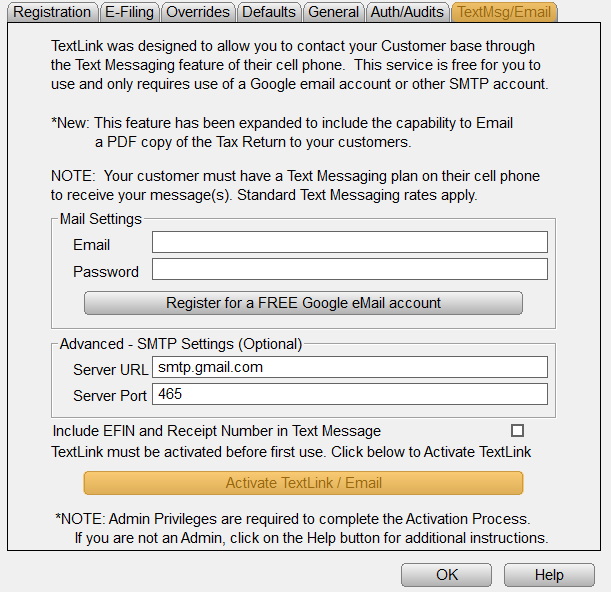
5. Click Ok as prompted until you have returned to the TextMsg/Email tab.