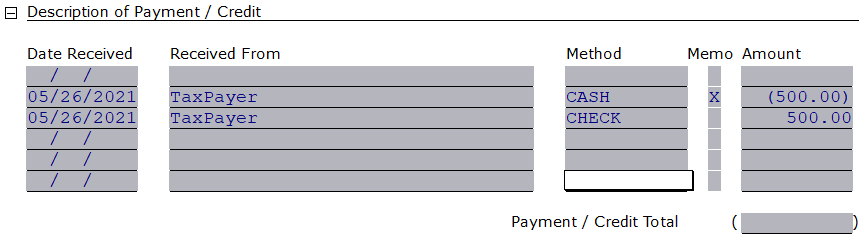
How to delete an Over the Counter (OTC) payment
There is NO way to remove/delete an entry in the payments location. The suggested workaround is described below.
Create a reverse payment entry
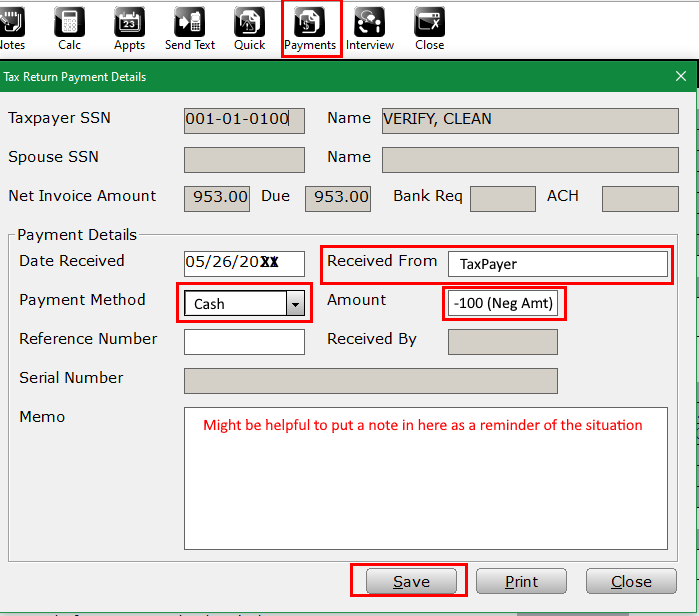
- Open the return that requires the reversal payment
- Select the Payments icon
- Input basic data in the following boxes
- In the Amount box make sure there is a “-“ in front of the dollar amount
- Save button will finalize the entry
Confirm entry of reversal
- Select form Invoice – Billing & Pmts
- Navigate to Description of Payment/Credit